Hi
"....The NCH still claims that there's a down arrow next to video effects for doing this, so that's pretty outdated for trying to get this figured out....."
In 10.43 There is a horizontal arrow under the menu tab Video Effects ...
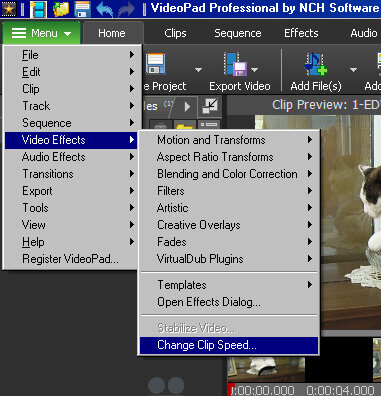
...and also a Speed Change effect option if you use the FX box on the timeline. Both link to the same control window......
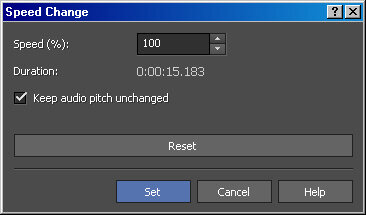
Setting the speed to 300% should show the Duration value alter, but click Set to fix the new value. You can also directly change the current duration value to the new required duration.
The timeline clip should then immediately shorten to this value and fully play at the new speed but it should NOT simply truncate.
Nat