Hi
At either side of the split there should be a white block either side of the line......
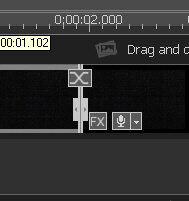
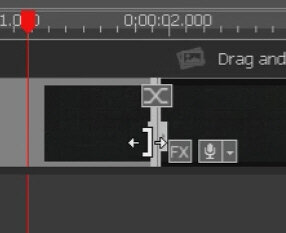
Depending on the space available and the type of clip, You should be able to grab either of these and drag the clip in the required direction. e.g. In order to shorten or lengthen the duration of an image. A square brackets should appear when the block (handle) is grabbed......
.
Are you saying these do not appear when this is done? Their absence (which is not normal) should not however prevent you deleting a split off a section of the clip so I am not sure what you mean when you say you can't "end" your video.
If you are referring to the blue and red START and END brackets that are under the Clip Preview window, They should always be present but the buttons that control them, making them move to the cursor position may not be visible if the window is not wide enough. Try dragging the vertical white bar to the right or left to make the window wider and the buttons should appear. Again this shouldn't prevent the clip being trimmed since this is also manual operation by dragging the red/blue brackets on their own.
Nat