Hi
"......Why, when i follow your instructions, is my video playing over the text page?..."
Your video should not be playing over your text page. If you follow the basic instructions as set out in my post the text will play over (on top of) the video.
Your video clip will be on Video Track 1 and the Text clip on Video Track 2. .........Like this....
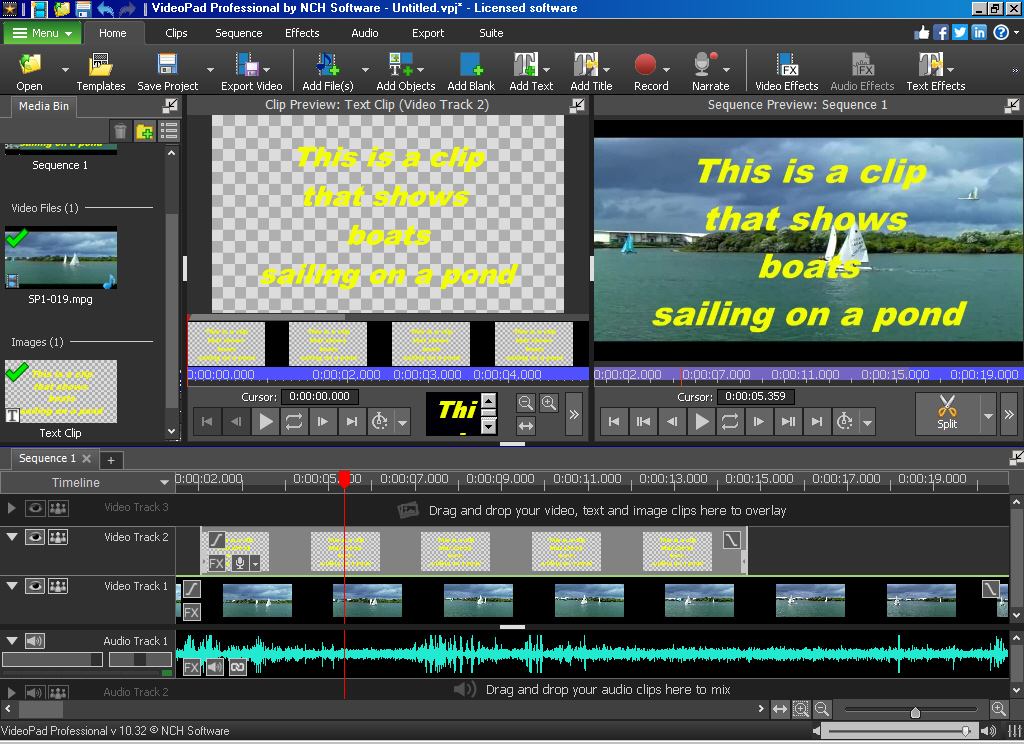
The text image/clip has to be placed on Video Track 2 and your video on Video Track 1.
All tracks above track 1 are Overlay tracks and unless they have transparent areas (chequered areas) they will obscure what is below. In the example above the simple text clip on Video Track 2 has a transparent background so the text is seen on top of the video on Video Track 1.
That, again is the basic setup however you say.........
"..... The text page should have no sound, then followed after 20 secs, by me appearing, talking to camera.Text page appears, and I can hear my voice saying hello to audience ...."
As explained by Borate above. If your text page is meant to be seen on its own, set the background in the text editor to a Full background colour and not the Editor background. The text image clip will now be a fully opaque image and although it can still be placed on the overlay track, your scenario won't need that. It can all be done on Video track 1...
It is pretty straightforward and will look a bit like this....
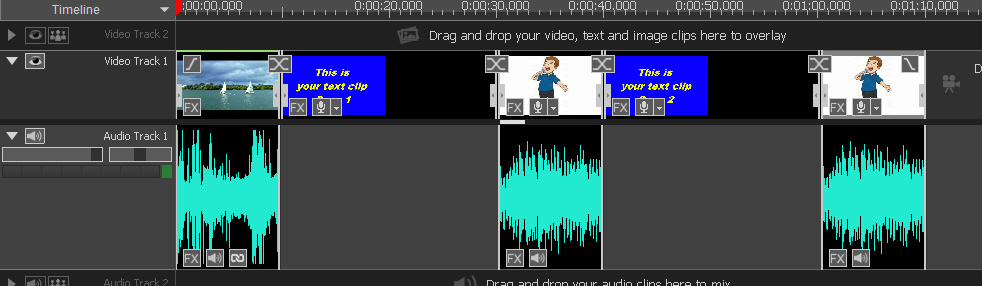
Left to right..
Background video clip---Text Page 1 (20 seconds No sound)----You talking to camera with sound ---- Text Page 2 (20 seconds No sound)---- You talking etc.
If you want your voice talking during the appearance of Text Page 2 then place the audio of you speaking under the Text Page 2......
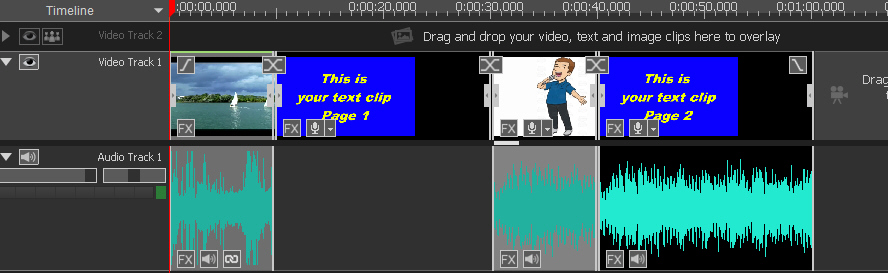
Still no need for extra Video Tracks
Hope this helps
Nat


