Hi
"....... I tried to apply a zoom effect but I did not get the proper preview. For some reason I only got a chequered pattern that represents a transparent clip. The problem was gone after I removed the fade in effect on the first clip of the sequence. I think this might be a bug......"
That's normal and not a bug. 🙂
Placing a fade-in using the f at the start of a clip will leave the Clip Preview showing a chequered pattern......
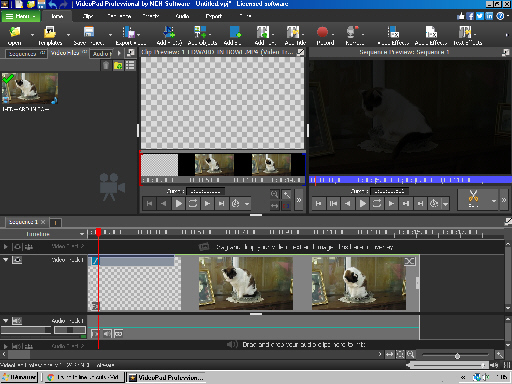
What you see is quite normal and is dependent on the position of the Clip cursor line and not necessarily the position of the Timeline cursor line. If the Clip cursor is within the fade-in area (in the image above it is at the start of the clip) the clip preview image will remain chequered and nothing will be seen in the Zoom setup apart from the dotted rectangle. There will be no image to reference it with. Moving the timeline cursor on its own will still show the clip preview as chequered as the clip cursor does not move with it.
However, if you move the Clip Preview cursor to the right the clip preview will fade in as it should and then the clip will be seen along with the Zoom rectangle....
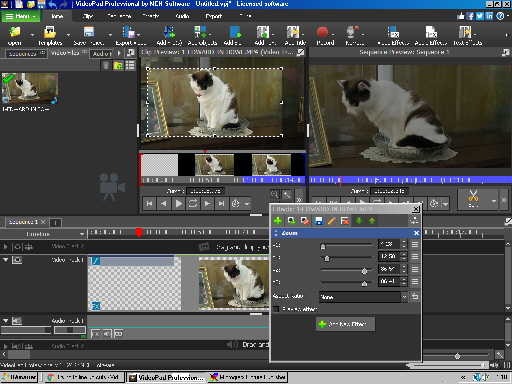
Note also that the clip on the timeline remains chequered for the full extent of the fade effect The sequence preview will show the image fading in (left).
Nat
.