Hi
What you are getting with vertical image on Video Track 2 and normal video on Video Track 1............
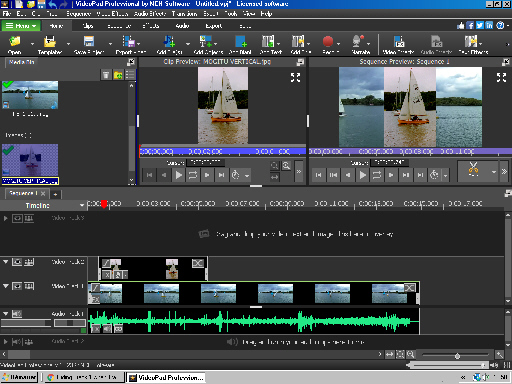
The video on Track 1 is visible to either side of the narrower vertical image on Track 2. You say you do not want this....So.....
One answer is to move the image on Video Track 2 up to VideoTrack 3 and add a Black Blank image to the now empty Video Track 2. Line it up with the vertical image on Track 3.......... (You can easily do this using the red cursor line.)...... The result is this..........
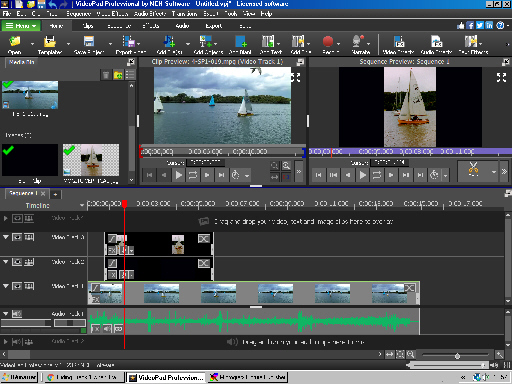
The Blank black image should have the same AR as the video to ensure it is properly covered up.
In a sense the Blank image becomes the background for the vertical image instead of the video. You now have the black bars that you say you want. Obviously the black image and the vertical image should both have the same duration.
Nat