Hi
"....I have used 3 versions of videopad in the past few weeks, in all of them, a curved x appears when I click the scissors...that is how I edited the first 8 mins of this video...say on 13 mins, if I click scissors, the curved x immediately appears again to tell me I have split the video..."
That is normal. If you use the scissors icon associated with the release of the red cursor line the clip is split at the cursor. This being so and no matter the degree of timeline zoom the transition X will appear at the join lined up on the cursor line.
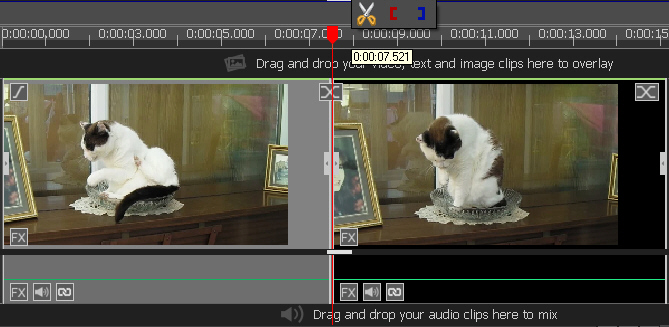
This is because you now have two clips which you can transition. The same thing will happen if you use the Split button (scissors) under the sequence preview screen.(This gives choices of tracks) Can't think why you have an "inactive" area where splits are required but can't apparently be made.:mellow:
Have you tried just moving the timeline left or right or clicking the timing bar at a different place (not dragging the cursor line) and then the head (top block) of the cursor line to get the scissors.
Nat
Later....Downloaded your project. With VP 10.17 (32) I had no problems at all in splitting and deleting multiple and individual sections both with Delete /Close gap and Delete(ripple) or using either of the Split icons. The methods worked at various points along the timeline. Couldn't find a place where it wouldn't work....:unsure:.
Something to try...Save Project As before trying this.... Convert the project that you have so far edited as a sequence. Click the + that follows Sequence 1 x at the left end of the timeline.and then reload this back to the timeline. Can you now split etc as normal?
Nat


