Hi
If you haven't done a Save Project As or even Save Project and you are STILL trying to export and it's STILL stuck then switch off the PC. Sounds drastic but VP will have stored your work in a crash situation. If you have already exited VP in the normal way...simply closed it, then this won't work and you will have lost your project unless you have done previous Save.
Switch back on and navigate to ..
(User name)/AppData/Roaming/NCH Software/VideoPad
You should find the autosave.vpj file there
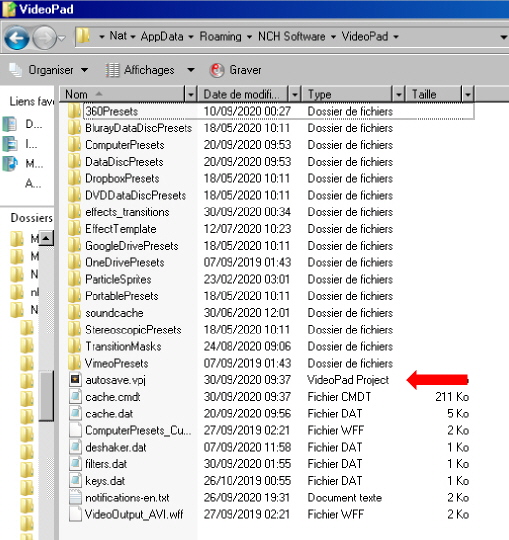
Double click this and it should restore your project. If it does then SAVE PROJECT AS so you won't lose it again. 🙂
Note: If you exited VP in the normal way this file is deleted. VP creates it while you work and in the event of a crash (or switch off) it remains there.
Nat