Hi SuzC
You can mix the split screen layouts on the different tracks. Is this the sort of result you are looking for...Two side by side at the top and one along the width beneath?
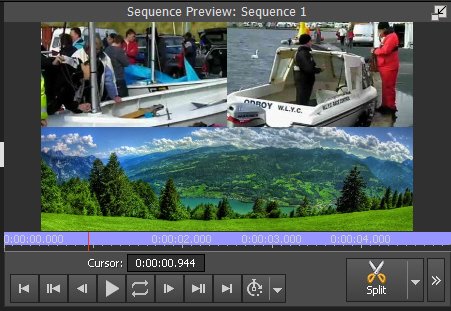
Video Track 1 contains the lower, wider image/clip and is placed in the lower box of a Vertical 2 Split screen
Video Track 2 contains video clip2 which is placed in the top left box of a 4x4 Split screen
Video Track 3 contains video clip 3 which is place in the top right hand box of a 4 x 4 Split screen
The tracks now look like this...
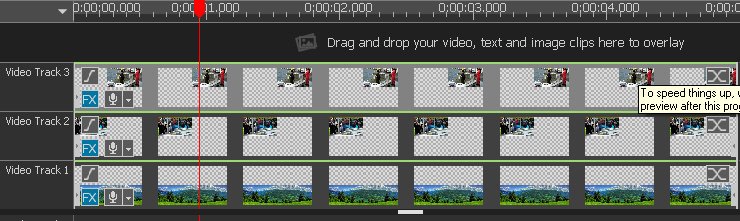
You can use the inbuilt split screen Scale and Bias controls to set the images inside each frame.
That should solve your problem
Nat
