Hi DIYMan
Following my post above. After a few tests I am fairly sure the mask shape problem it is linked to to the removal of redundant points during the keyframe making process.
Using a simple shape like a star moving across the screen. The object is easily masked with a 10 point outline.....
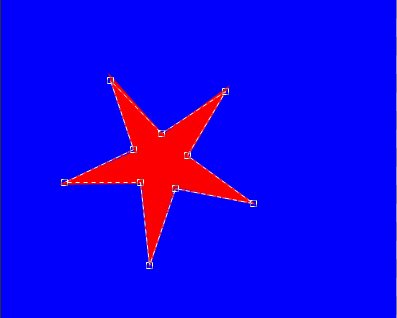
Single key frames will follow the outline as it the object moves across the screen. (The mask can be dragged as a single unit.) This works perfectly. It also works if the object is positioned to change direction. The mask follows it correctly.
If, however after a few keyframes have been generated a NEW point is added to the mask (here on one of the star arms) ....
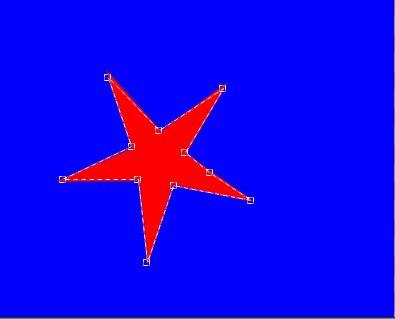
......and an existing point is deleted .... The mask changes shape obviously......
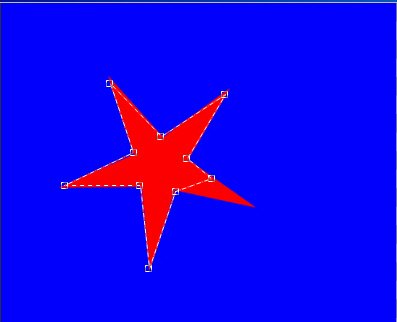
.....but the new point can be re-positioned where the deleted one was. and so apparently restoring the original mask shape....
As before, the clip can be progressed and the mask position dragged to follow the object the remainder of the distance and keyframes can be set to maintain the positioning. All SEEMS to be well until you play the sequence.
Returning to the start and looking at the star ..it seems OK until you un-tick the Mask Inside box and add a 0% Opacity. to make the background transparent. You will now see that what was a complete star (i.e. the first keyframe) has now lost a point. This IMHO is a bug. It should have remained a full star.
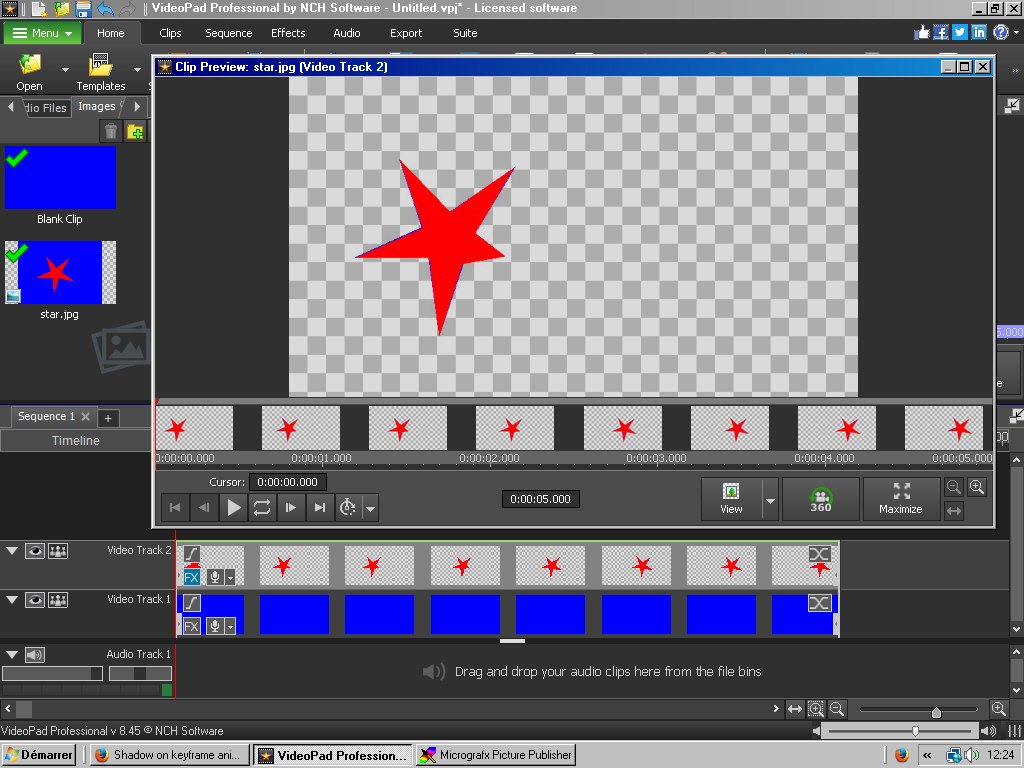
This seem to infer that ALL references to the deleted point were lost when that point was deleted. The thumbnails above show that the replacement point restored the full star but all previous keyframes had lost the original point.
This finding means that if complicated outlines are masked then points must not be deleted (by re-clicking and deleting) even if they get so close together due to the object getting smaller or changing its shape when they get squashed up together. Otherwise you risk the mask completely changing outline. This can get awkward ....
Nat