Hi
NCH provide a library of clipart that can be accessed easily from VP.
Click Menu/File/Add Files/Add Images from NCH Clipart Library.........
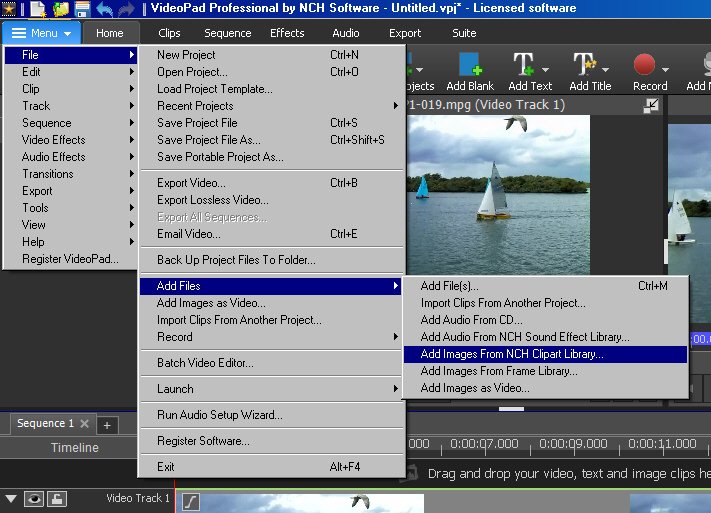
Select Images and then Arrows
Not a huge range here but choose arrow style.e.g. Big Bold Arrow....#
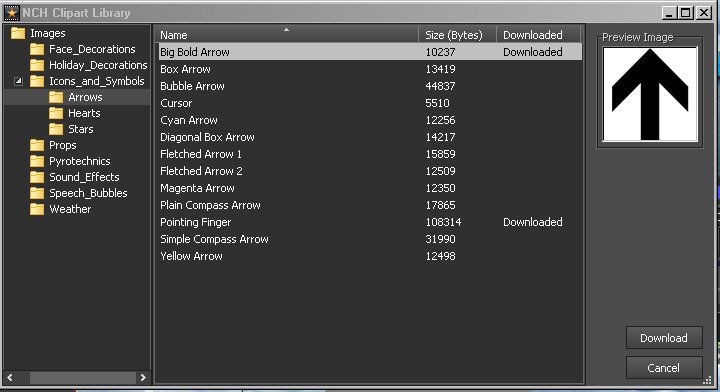
Click Download.
This loads the image into VP for you to use.
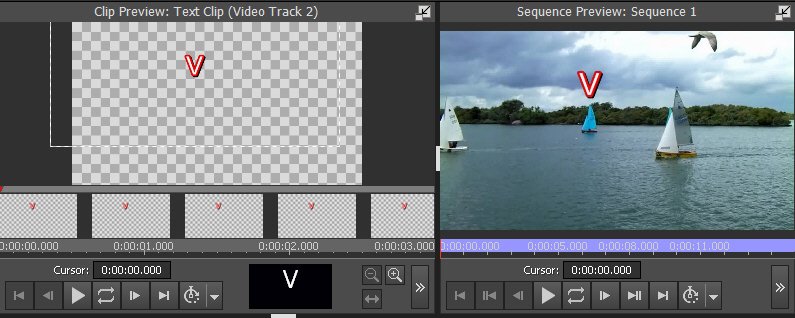
Alternatives are to use a Draw program to create your arrow/Download an image from the web or use an enlarged keyboard character like v "vee" using Add Text (An advantage here is that it comes with a transparent background you can have it in a variety of colours and fonts with/without a border/shadow etc. Fonts types such as Wingdings contain numerous examples of arrow characters
As VP text is an image it can be position, rotated and animated like any other image with the usual effects and keyframes.. Here is a rather outlandish example using a colored/outlined "V" with a shadow :o as mentioned above..... (Don't expect you to use this though :lol🙂
Nat