You can use Fade-in (like as you go near the house, volume starts to go up) and Fade-Out (like as you go far from the house, volume starts to go down)
To apply Fade-In and Fade-Out: Highlight the clip you want to apply the fade. Go to Levels Tab, click arrow near the Fade button. Select Fade-In or Fade-Out
You can also apply fades using the "Envelope"
To apply envelope: Highlight the clip you want to apply the envelope. Go to Levels Tab, click Envelope. Make the yellow line like this below
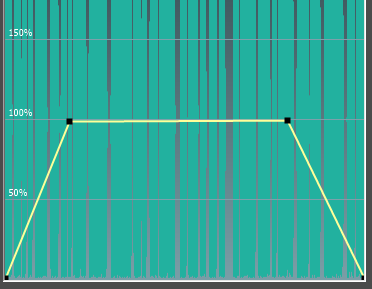
There's a preview button to double check if you have assigned the right fades