Hi Nick
Thanks for the info. I've seen some YT videos re. this machine but got the impression it was being withdrawn to rectify some faults. (This is the reel to reel machine). I have to agree setting up the projector and camera in line etc and adjusting projector speed is a bit of a phaff and not having adjustable Gain on the camera means that areas in the copy are either too dark or overdone or sudden changes in film lighting cause the copy to momentarily over expose etc. The results weren't too bad but I also have to re-run the film to copy off the sound stripe at the adjusted speed. So I may invest in one and use the projector to get the sound off. VP can take care of the timing.
Anyway...tagging people... Not sure about Adobe bridge but..
You can do this with VP but you write the tags yourself...
First way is to simply write a text image with the name; scale it down or use a smallish font then place it with the Position effect...
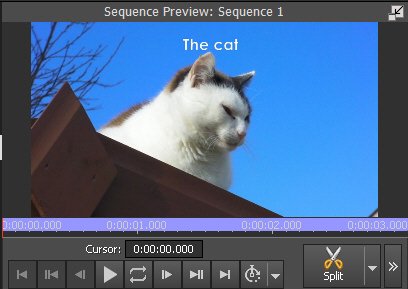
If you want, you give the text a coloured background in the editor
You can also use the Speech Boxes or similar clips from the NCH
Right click the clip bin and select Add Images from NCH Clipart Library
Select Speech Bubbles
Choose from the list...e.g. Rectangular Bubble left
Click Download
Drop the bubble onto the overlay track
Position and Scale to the correct size.
Add text as above and Position on the bubble.
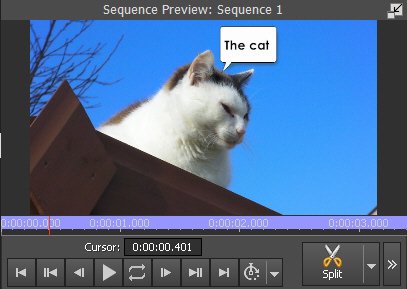
The text goes on Video track 3 so it overlays the bubble.
There are other possible ways but they are all similar to this.
Nat