Hi
To add files to VP you can....
Click on the tab labelled Add Files which will open a browser window from which you can navigate to a suitable folder. You then click the clip/file you want (or highlight a group) and they will load to the Clip Bin of VP. That's the area at the top left side of the main screen.They will appear in the bin as thumbnails.
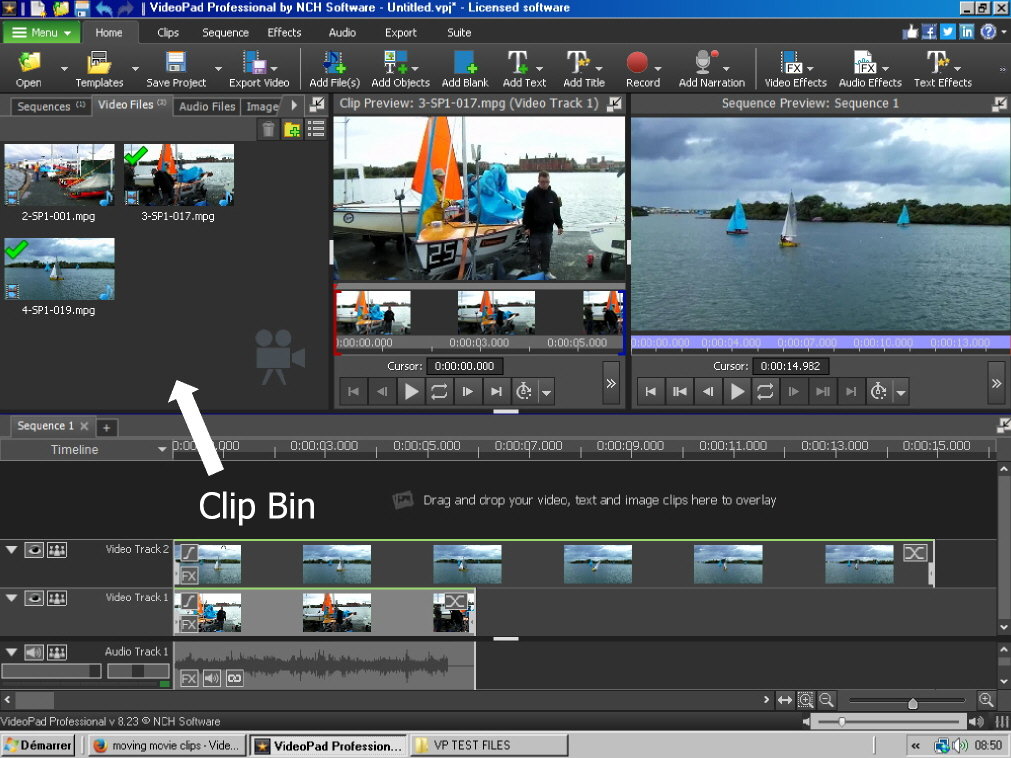
From here you can drag and drop them (or select the Place options) to the specific timeline track you want.
An alternative is to simply drag and drop the files directly to the Clip bin or even Copy/Paste them from their folder of origin.
You must have them placed in the Clip bin before putting them on the timeline.
Nat