Hi misterpaul
Some of the options may not be visible under the clip preview pane depending upon the size you have made it or whether you are displaying dual preview windows which also restricts the amount of display space. Whatever the case there will always be a chevron visible on the right, under the clip preview pane.
 Click this to see the missing options in a menu form.
If the pane is made larger by dragging the short white bars, that will enlarge the preview display area and the options should become visible...But the chevron will still be there at the bottom right.
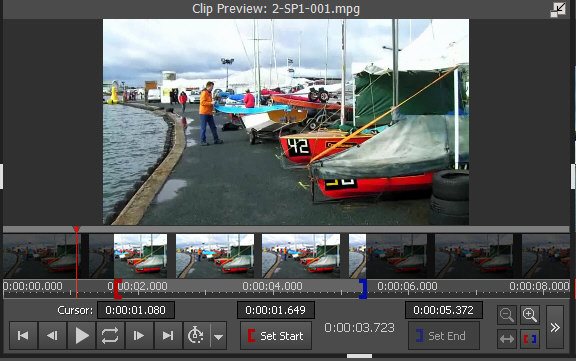
Clicking that will give you the menu with placement choices....
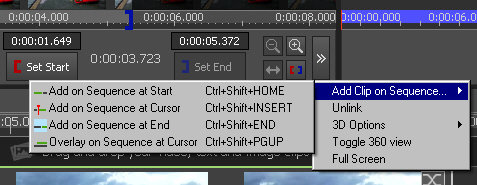
On the other hand If you right click any clip in the bin on the screen left you will obtain a similar menu of placement choices as well as other options regarding that clip.
Nat
