Hi
The Pragor U clips are more complex than they appear but in principle......You need to create your background video first.This is a job in itself as it requires much planning to be effective with timings and positions and it can't all be done in VP. unless its really simple. It can be made up of individual images or texts that are animated as complete images using keyframes and the VP Motion and Transform effects. This is fairly straightforward but more complicated animations usually need to be made in third party apps.and loaded into VP as clips. Check out NCH Express Animate You could also create and use animated gifs for example.
The narrator clip is made against a Green screen. (Actually the screen can be any single colour but it needs to as monochrome as possible..) and moreover, the narrator must not have any green items included in his outfit.
The animation clip is placed on video track 1 (if it's complex then higher tracks can also be used as well) but the narrator clip should be placed on the highest track.
If you click the FX on the narrator clip and select the Green Screen effect you can select the screen colour using the pipette colour picker. Doing this renders the background to the narrator transparent.The Threshold/Fading and Feathering controls can be set to eliminate slight differences of shade in the background screen and make the outline of the narrator cleaner.
Here is a VERY SIMPLE example where a text line made to move across the screen behind the narrator ......
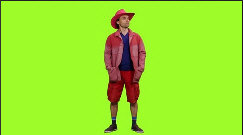
First the narrator....filmed against a green screen.
.
Now the narrator clip with the green screen effect applied in VP...
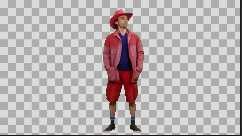
The text is animated to move from left to right using keyframes (or the scrolling text control in the VP text editor). Quite complex movements can be produced with the VP effects..


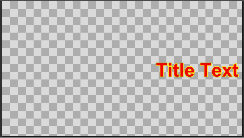
The Sequence Preview and the clip export shows the text moving across the screen behind the narrator...


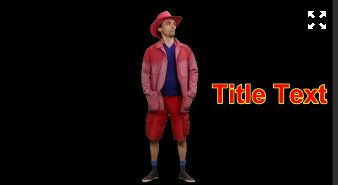
In this very simple example there are only two tracks used and both have a transparent background so the export background is black but you can easily move the images/videos up to higher tracksand add a video or image to track 1..... If the narrator is in the way or needs to face the oncoming text....
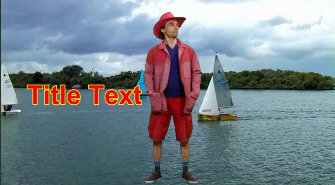
....He can easily be scaled down; re-positioned and turned around....
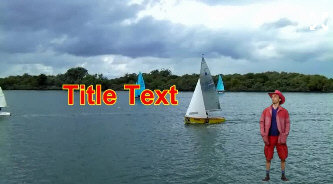
That's the basic principle.
Have fun!
Nat