Hi
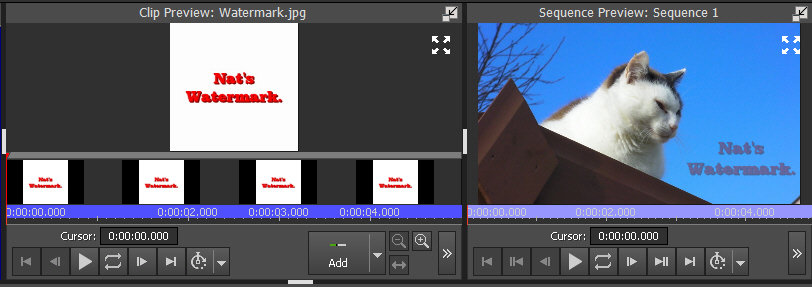
Design a small watermark on a monochrome background (but not a colour used in the watermark.) Save it as an image...jpg will do.
Add it to the timeline overlay track. Click the FX box and add a Green Screen effect to render the background transparent. Add a Scale effect to the watermark to reduce/enlarge it to a convenient size and then add a Position effect to move your watermark image tothe corner required.
The whole of the logo will not be transparent and will stand out against the main track video. If you want to dull it down then click the FX and add a Transparency effect. This will dull the colours somewhat but thats what happens when you make something partially transparent.
Example... jpg image on left in Clip preview. Result on the right in Sequence preview.
If its going to be visible for the whole of the project then as it is an image drag it out to extend completely along the timeline to the end of the project, or right click the image clip on the timeline and Change Duration to that of the project.
Nat