Hi
Question.......... How do you move IMAGE ONE so that it in front of IMAGE TWO?
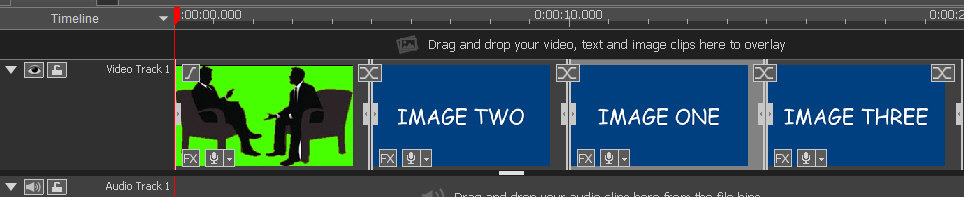
Try dragging it back?........It overwrites IMAGE TWO!
Try dragging IMAGE TWO to the end of IMAGE ONE?.......It overwrites IMAGE THREE!
Move the cursor to the start of IMAGE TWO?.....There is no option to select IMAGE ONE on the timeline and Insert it at the cursor.
Obviously I could simply delete it, set the cursor and reload it again to the cursor from the bin and then close any gaps. But that is awkward if I have edited it. I would have to re-edit it.
If the clips are the same length you can do a 16 puzzle move with it.......Drag it up to Track2. Move IMAGE TWO along and then drop IMAGE ONE back down into the gap. But if they are all different lengths things get complicated.
A simple drag and drop OUGHT TO BE THE WAY TO DO THIS BUT IT DOESN'T WORK.
Answers on a postcard.:mellow:
Nat