Hi
I recently noticed a TV documentary that used a crossfade between clips that didn't simply just dissolve but dissolved through a change of colour. You can do this in VP using the following steps...
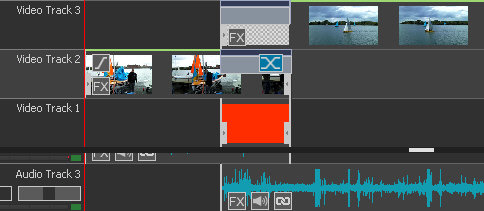
Place the first clip on Video Track 2
Place the second clip on Video Track 3
Pull the second clip on track 3 to the left so it overlaps the end of the first clip. Make the overlap around, say, 2 seconds
Add a 2 second Fade Transition to the the end of the first clip on track 2
Add a 2 second Fade in to the start of the first clip using the f at the start of the clip. At this point the clips will dissolve in the normal way when the sequence is played.
Click Add Objects a add a Blank Clip . Set this to the desired colour...e.g. Orange
Place the blank clip on Video track 1 and adjust the length to be exactly the same as the overlap and the fades (e.g. 2 seconds)
The timeline will look something like this.....
The clips will now dissolve through orange in this example.......
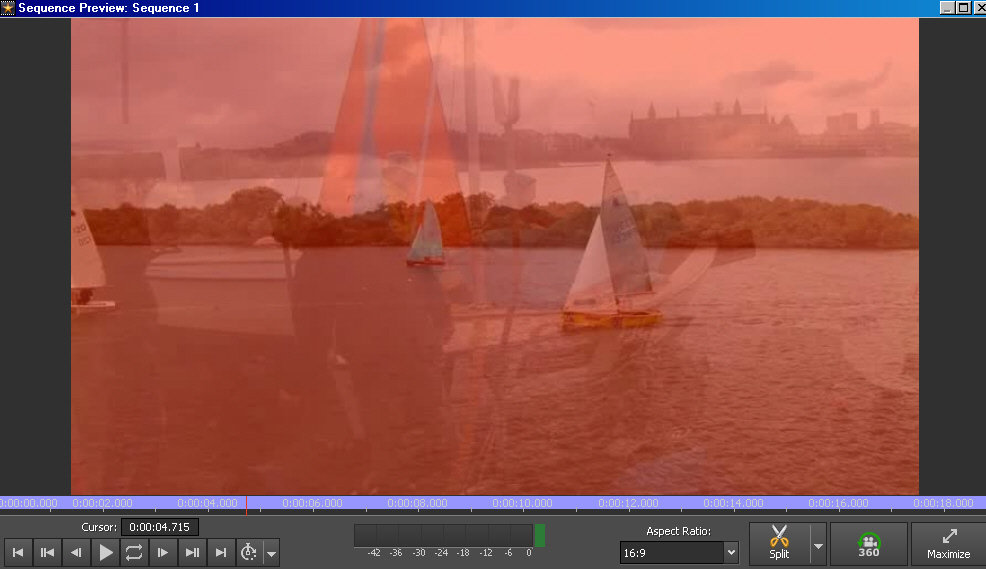
Obviously you can select any colour for the blank clip.
Some users may find this useful.
Nat