Hi
I think you may be confused regarding Clips; project files. Project files are not clips..... It seems that you loaded an incorrectly taken clip into VP and corrected it. You then saved it as a project. If you wanted a corrected clip you should have exported (or stabilized it)
Normally you open VP and (if you haven't stopped it appearing) a screen asking what you want to do appears. ......
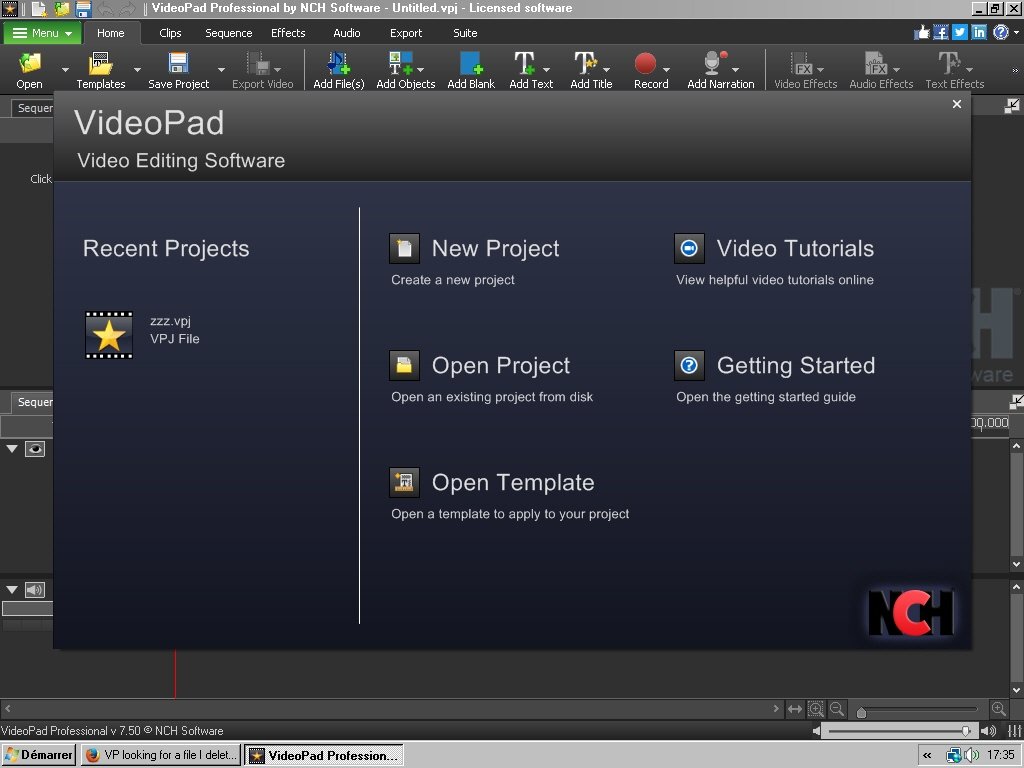
RECENT PROJECTS are listed on the left and are generally projects that have been saved to the default folder set up under options. These are vpj files. (see below) Clicking one of the vpj files listed (e,g, zzz.vpj in this example) will simply open the project as it was when it was saved.
If you select a NEW PROJECT VP will simply revert to the empty GUI. You can now add clips/images in the normal way prior to editing. As you are loading the clips/images there will be no messages re. missing files..
If you select OPEN PROJECT then VP will allow you to navigate to a folder where you have saved your previous projects. .......
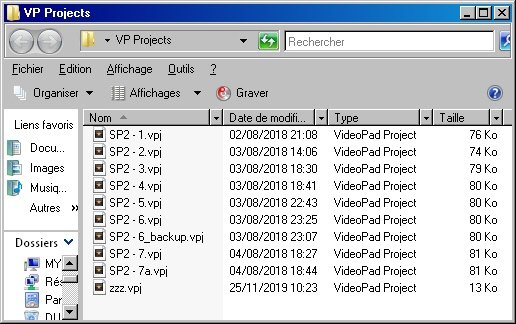
As stated, these projects are vpj files and contain details (names/locations etc) of the clips that make up those projects. Essentially vpj files are text files.
Whenever you save your work (your project) a vpj file is created. They do not contain any clips or images etc, just the data required to enable VP to re-create your work.
If you select one of these vpj files, VP will read the data and attempt to find the clip files/images etc. that were used to create the project in question. If any of these files have been deleted or had their names changed or have been moved to another folder VP will post a message indicating that the clip/image could not be located in the expected folder and will then ask the user to manually locate it on the PC and load it. i.e. the user will be asked to resolve the problem. If the clip/image has been deleted from the PC the user will not, obviously find it either. In this case VP will load what it can find if asked to.
If you deleted your faulty clip and it was a part of your project VP will post the message. As you seemed to have saved the corrected clip as a project, VP will obviously not find it as it is no longer an image. A record of its presence will nevertheless still be present in the vpj file.
If you don't actually want it, then ignore the resolve message so VP can load everything else and then Save the project again with a different name and delete the original.
Nat