Hi
Do a Google search for Arabic fonts. Apparently there are many to choose from.......
https://org.uib.no/smi/ksv/ArabicFonts.html
Once a font is installed in your PC font folder it should list in the text editor font list although if it can be used as such I doubt. i.e. No of characters, keyboard being used L-R parsing etc.
Probably the easiest way is to use Google Translator. Enter Translate into the browser search box. Enter the english text on the left and the Arabic text should appear on the right.........
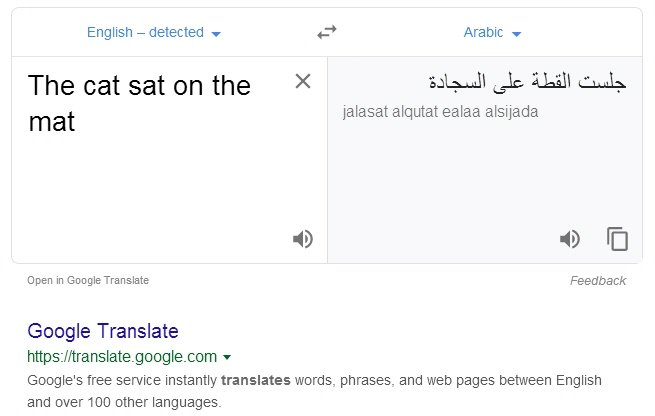
Now select and Copy the translated text and paste it into the VP text editor ......
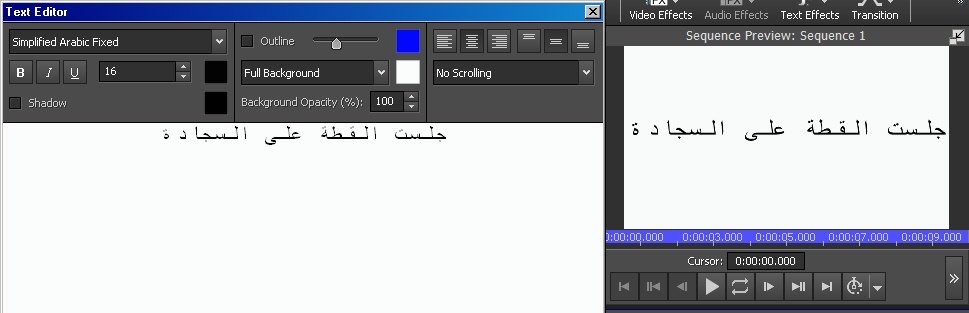
It can now be placed as text on/in your project.......
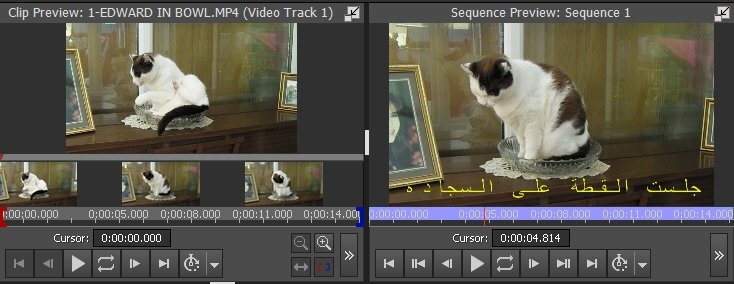
Of course, not being an Arabic speaker or reader, I have no idea whether this reads.."The cat sat on the mat" or "mat the on sat cat The" or even..."tam eht no tas tac ehT" It might even be complete gobbledygook. 🙂 but it illustrates a method that might be used. (It has worked for Hebrew text)
Nat