Hi Deni
Still not sure regarding your problem...:mellow: from your video clip it seems you want to overlay the facebook text image on top of the Beast man image.....(to the left of the man). Is that correct?.
So, first.......
If your main image is not 16:9 at the out set..(i.e. is it a vertical image. say from a camera..like on the left, you will need to "extract" the image..
 Apply a ZOOM effect to make it full screen
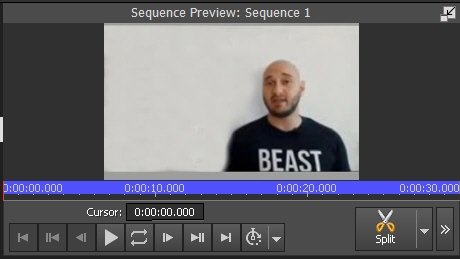
Keep it 16:9 if you can. (Looks about that.) Place this on Video track 1.
Whatever the size/AR etc of the Facebook text image, from your video it looks like it should be usable as you have it. i.e. It's not on a background. (If so you may need to crop it.) So place this on Video Track 2 above the clip on Track 1 It may entirely cover it for a start but it's not a problem.......
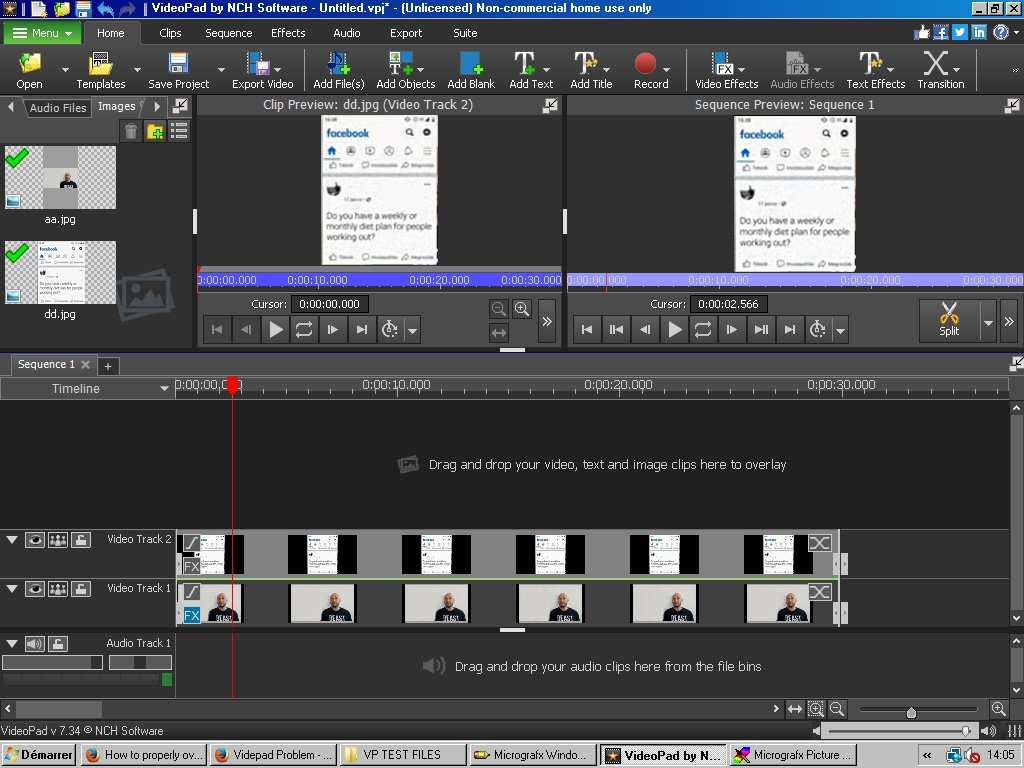
Now apply the SCALE effect to the facebook image on Video track 2 to reduce it to a suitable size...You can monitor the result in the Sequence Preview window on the right (Dual previews are set up) Use the sliders but maintain the AR.....
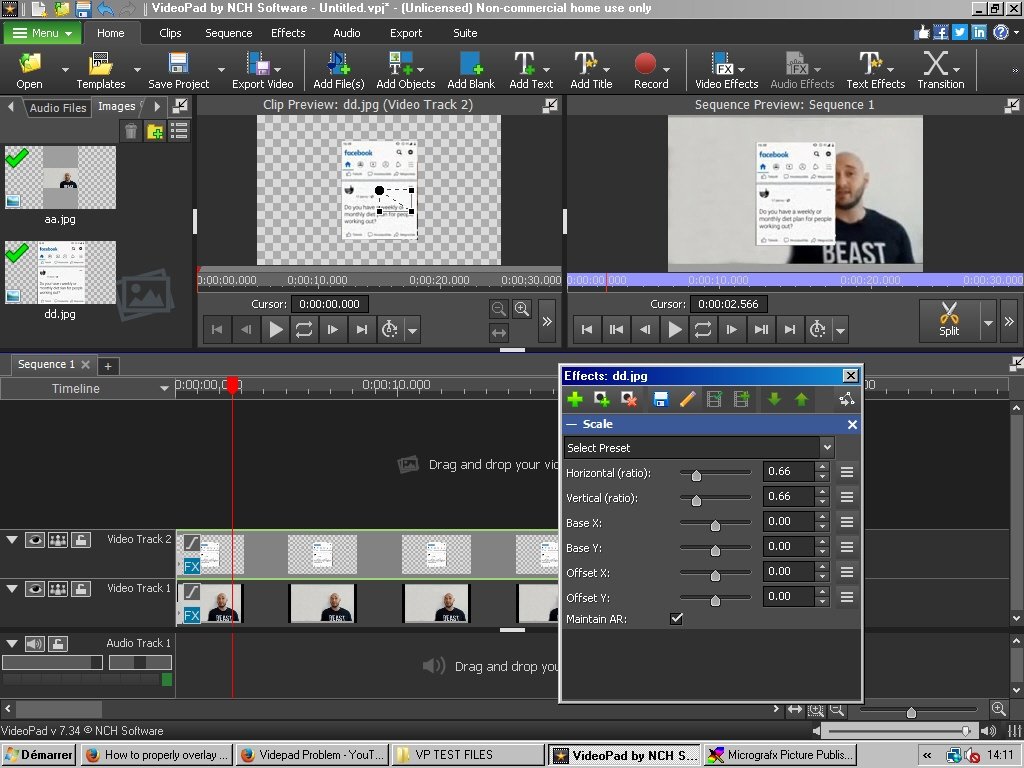
The overlay should now be somewhere in the centre and the main clip should now be visible. Now add a POSITION effect to move the facebook text to the required place......... (You can also do this with the Black spot control in the Scale effect window shown on the right above but using the Position effect seems more intuitive..)
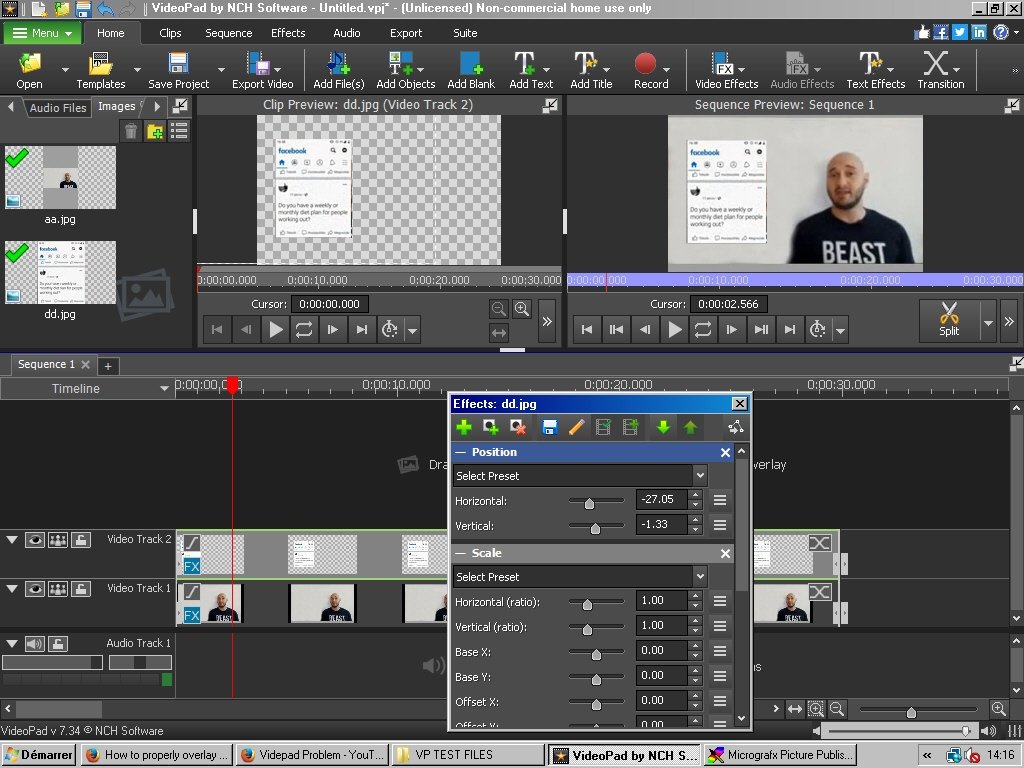
The result is shown above. Does this now work for you?
I think your problem might have been the intitial AR of your Track 1 image. It may not have been full screen or in a vertical format and consequently dragging the overlay to position it put it outside the frame of the main track image. Anyway, try the above scenario and see how that pans out..
Nat
The