Hi
".... I'm trying to increase the height of the video track - there is no resizing bar above it as there is above the video track ..."
Were you perhaps referring to the Audio Track??
This can be increased in height by dragging the white bar situated below the Video track upwards........
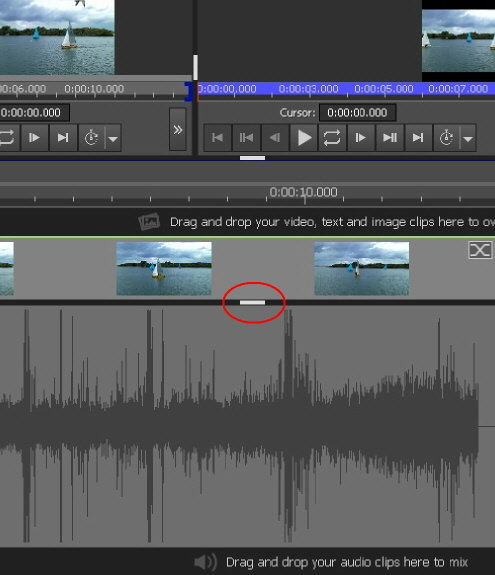
From the point of view of the Video track......If you just have Video Track 1 with a clip on it, the height of the track can be adjusted from quite narrow to quite large by grabbing and moving the white bar under the Preview Window , (marked below) up or down........
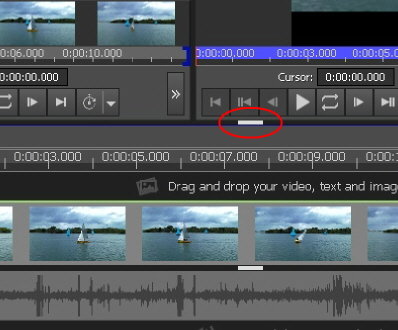
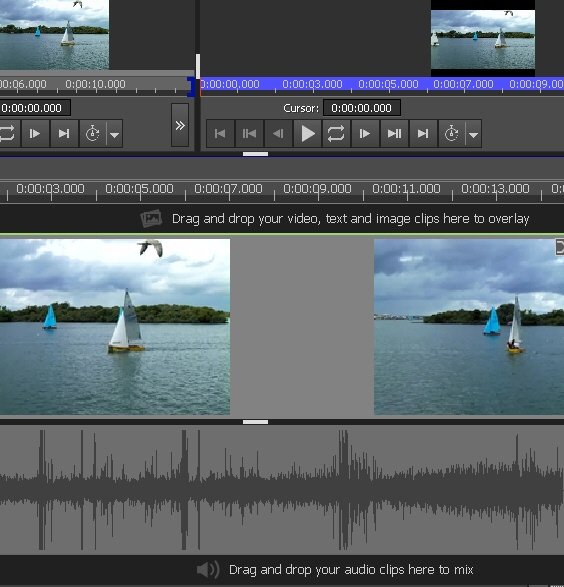
Note that these images are to the same scale. The white bar is the bar under the preview screen area. This increase in the height of the track is at the expense of the height of the preview windows.
In some instances the height of the track can be very small.....There is a button that will expand or contract the track......
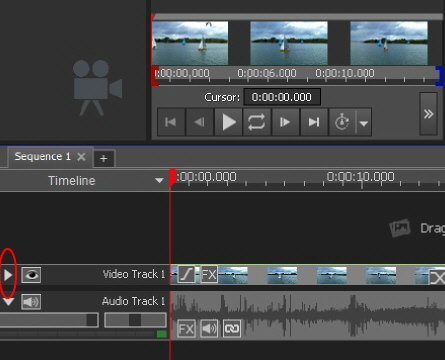
Note the position of the marked chevron. Clicking this will expand the track back to a "normal" height.
If however, you have multiple tracks (2 or more) there is a limit to the height you can have for each track. Dragging the white bar mentioned previously up will enlarge then tracks up to a point. After that the grey area above the tracks will enlarge but the tracks will remain at that limit...(Below)... (I would prefer myself that the tracks enlarge to the maximum possible leaving the grey area very narrow.....but.....)
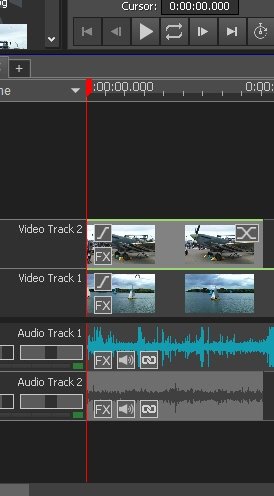
The idea , I presume is to allow as many tracks as possible to be visible before scrolling becomes necessary.. With the white bar set as high as possible and the other white bar below the video tracks set as low as possible this will be 6 tracks........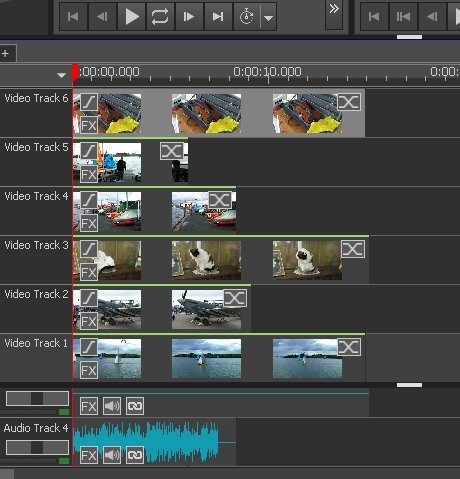
....any more than this and you will have to scroll them up and down with the scrollbar at the right hand end . THAT IS UNLESS you choose to contract the tracks (one or more) with the chevron mentioned above.... In that scenario you can have up to 13 tracks!.......(But that might impinge on your ability to rapidly edit or render your projects...😉)
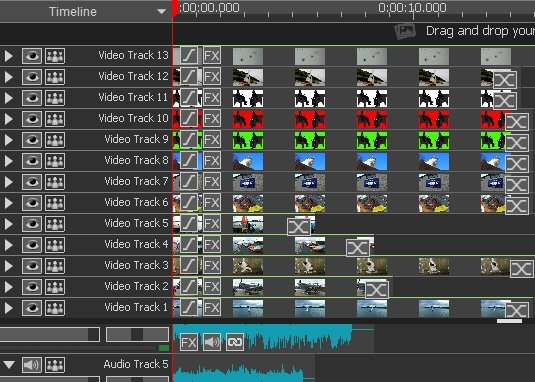
Anyway...there are a few hints
Nat
