Hi Edward
"... I got an image in overlay over my video. Everything worked find. ....."
Ok so far.......You have a clip on Track 1 and an image on Track2 which will overlay the clip.
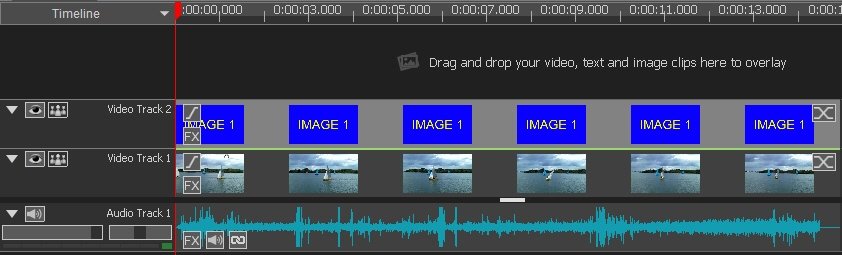
"......So i went to add another image in. ....."
You don't say where you want to place this second image. If you want it to appear on a new track (Track 3) you simply drag it down from the clip bin and drop into the grey band above Track 2. (Labelled Drag and drop your video,text and image clips here to overlay)
This will automatically generate Video Track 3....
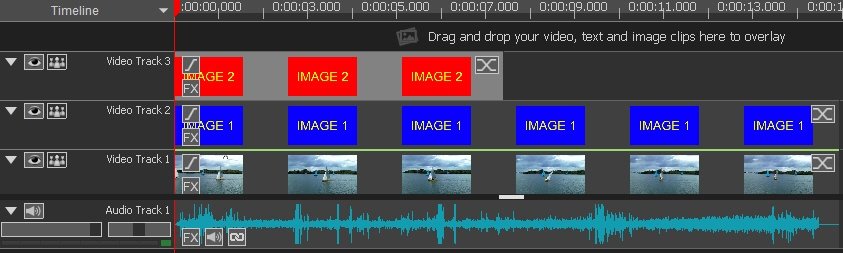
It seems from your post that you may have dragged and dropped your second image onto Video Track 2.
If this is the case it will apparently...(this may be a bug) overwrite the image om Track 2 and not insert.
That's what happens here with VP 7.3. If you want to insert it into Track 2 by dragging and dropping you can first drag it to the new Track 3 .........
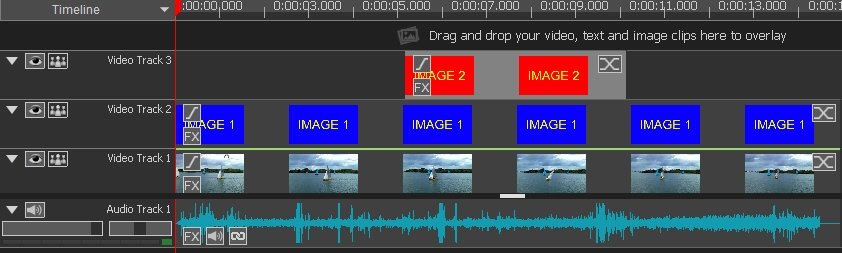
....and then in a separate action drag it down into the required position on Track 2 where it should now insert....
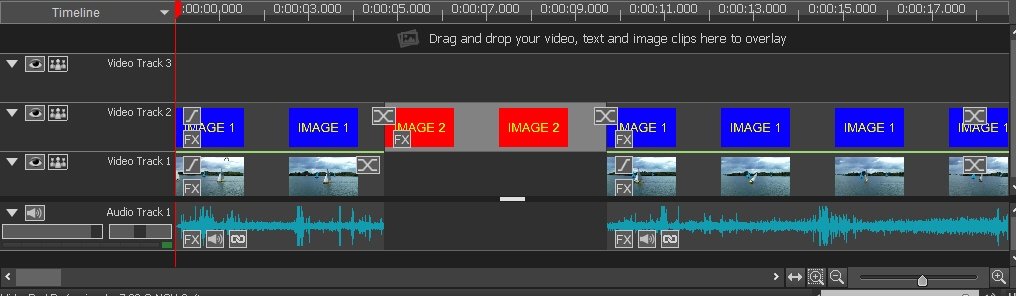
This however creates a gap in Track 1.......which I don't think it should as the manipulations are strictly with the upper tracks ... but it can be easily closed. There are other ways of adding images or clips other than this. The options are accessed by clicking the clip in the respective bin and selecting the option from the list that appears.
Nat