Hi
Note that the small Text box appears under the Clip Preview window. and shows just "Title Text" as in the image below. The text box does not appear under the Clip Sequence window. However if things are working as they should VP will switch to Clip Preview when Add Text is used.
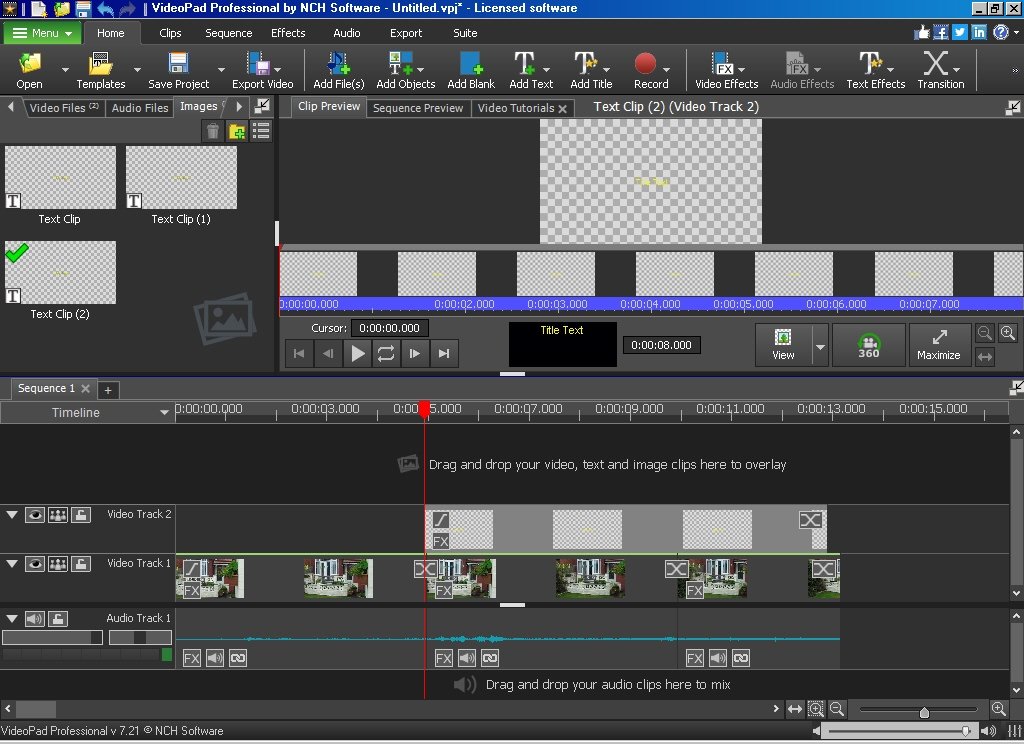
At the start, the text image is placed in the clip image bin and a text clip is placed at the cursor on the timeline overlay track.as shown. if you left click the small text box it will open in a larger window with parameter controls......
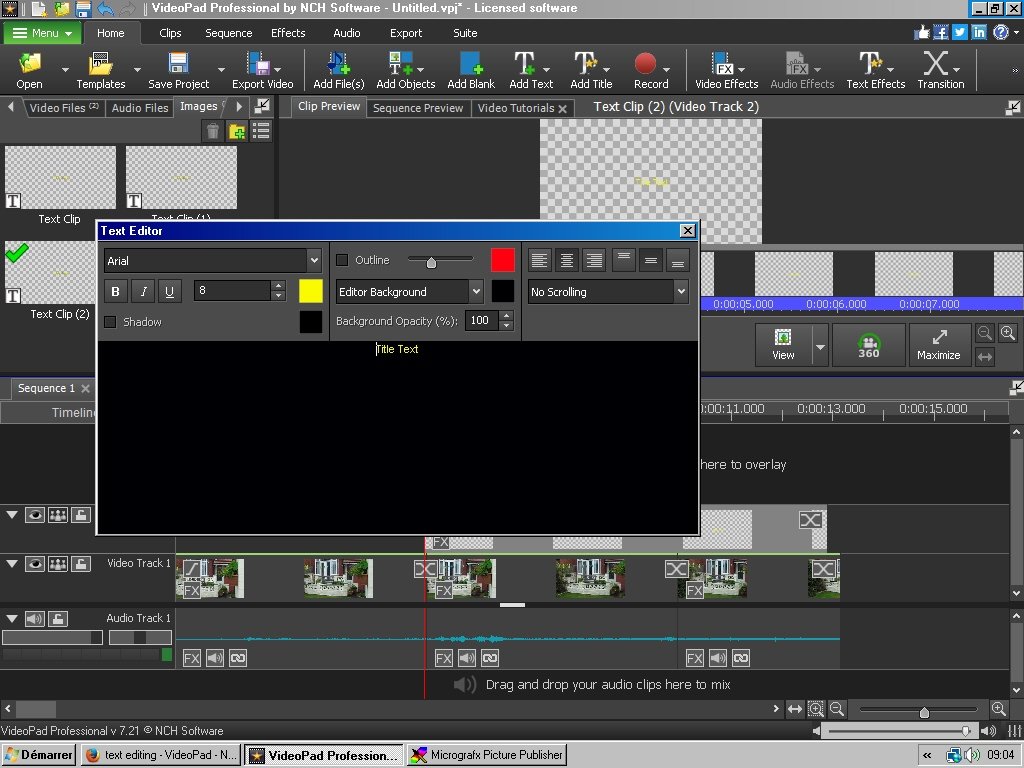
In version 7.21 this usually happens automatically. You can now swipe (right click) the existing text, delete it and add your own. Both the clip bin image and the timeline clip are updated as you do this and the result is seen in the preview window.
When adding text/titles etc. I usually have Dual displays set up as you can monitor the result more easily.(File/Tools/Options/Display/Show dual previews)
Nat