Hi Ajaska
I think your statements are not necessarily correct and you are, perhaps overreacting to what might be a simple problem as, indeed I think it may be. It's always better if you could explain in simple terms the nature of the difficulty and forum users might be able to point you in the right direction, rather than going off the deep end which might make users reluctant to help you.
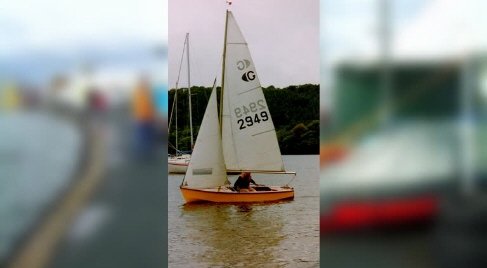
I glean from your comments that you want a phone video (presumably something like AR 9:16) to be placed in front of a second video of, say AR 16:9 and which will be blurred? The finished effect being something like this.......
.
If this is the case then the steps are quite simple and are as follows.....
Place the background video on Video Track 1 This is the video you want to be blurred.
Click the FX at the left end of the track and then the green + button to open a list of effects.
Choose the Blur effect and adjust the slider to the desired position. (You can monitor the blur in Clip Preview)
Place the sharp phone video on Video Track 2 (The overlay track) and move it to a position on the track so it is above the blurred video on Video Track 1
That is all you require to do.. The GUI will now look something like this......
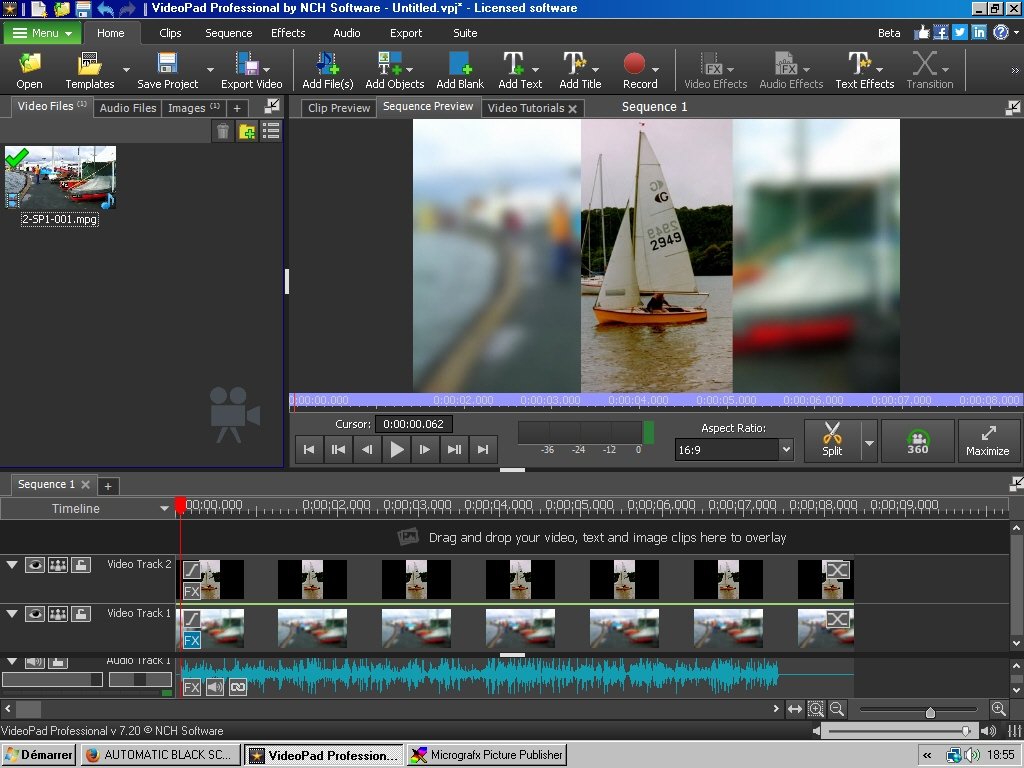
The sharp phone video will play on top of the blurred background video. (Note it has a black background. This is how transparent areas look on the sequence. In the bin those areas are chequered.)
It's always better to ask on the forum if you aren't sure about how to achieve a thing rather than blasting a product because of something you haven't fully grasped.
Nat