Hi
In VP 7.11 click the double chevron at the right on the main toolbar. This will open the Videopad Options screen.
Failing this, click the green Menu tab at the top left of the screen, and select Tools and then Options. This will also open the Videopad Options screen......... Preview format and Frame rate can be set here......
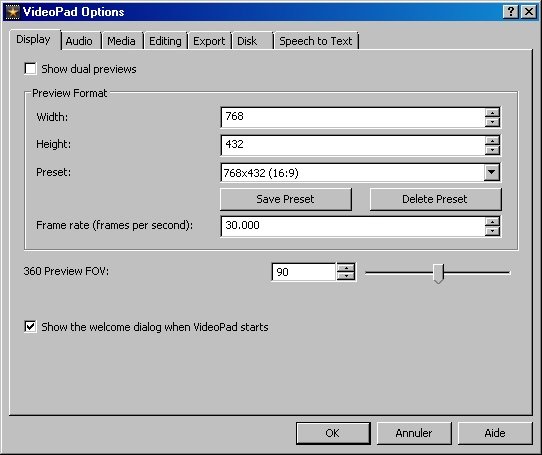
On the Display tab (Opened by default) you will see the current Preview format. (Here it is 768 x 432) If you click the down chevron to the right of the Preset box you will open a list of possible settings ..........
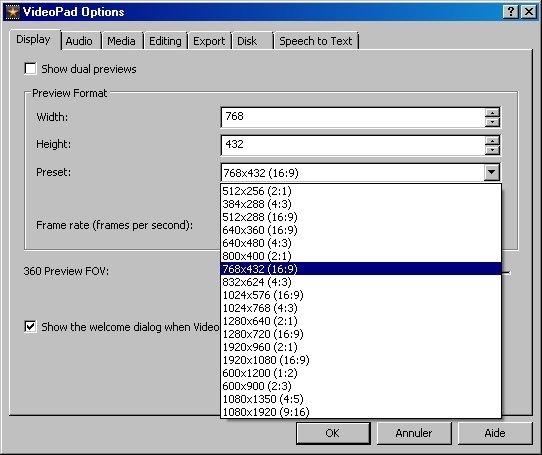
Choosing one of these will set the resolution for the Preview screen in the GUI
If VP is slow, jerky and repeatedly showing "Building Preview", reducing the preview screen resolution may help. At the same time if you check the Processor utilization box in the Task Manager and find it is continually 100% when VP is running and around 50% when idle check for any background jobs. e.g. I am working with an old Vista machine and had this problem until I noticed the PC was running Vista Microsoft updates in the background. There are no updates now so I turned this off and everything returned to normal....1 - 2% when idle.
Nat