Hi
"....What does clearing the cache from Options/disc do?....."
The cache contains copies of your indexed project clips which are created as you work. They look similar to this......
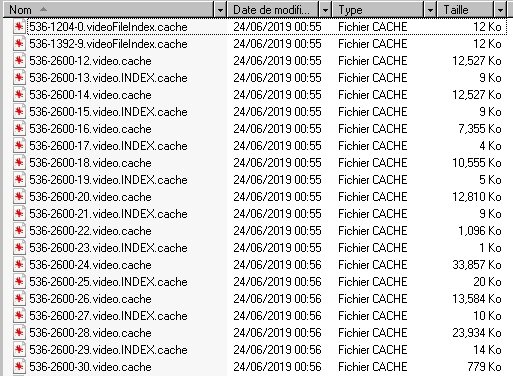
In a new editing session, you run the vpj project file that you saved and VP will consult the cache and if the right video files are found for the project it can load the clips and thumbnails to the timeline fairly quickly and one can continue to edit without too much delay.
Under normal circumstances these cache files are not deleted and so with every new project you start, the cache gets bigger and can contain hundreds of files. Apart from slowing things down, cache files not related to the project being loaded can also cause problems if they have become corrupted and haven't been cleared.
Having loaded your project using the vpj file, clearing unused cache files ensures that only the ones you have loaded to VP are present.
Clearing the cache files completely and starting with a clean slate is also not a problem as the vpj project file contains all the data required for rebuilding your work. Providing you still have your clips on the computer in the same folders, your project and the cache are rebuilt. It takes a little longer to do this as the cache is initially empty and the clips have to be reindexed, but when complete, opening your work at a later date will be much faster as the files will now be present in the cache and indexing will not be necessary.
Nat

