Hi
With version 7.11 fading in the Video track by clicking the f and setting a duration time does not affect the audio track. During such a fade-in the audio will play normally.
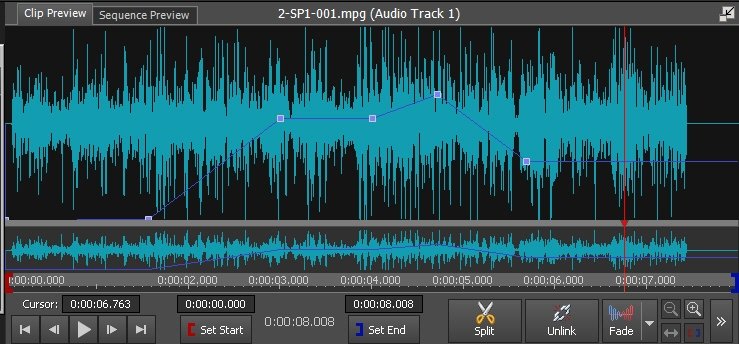
Setting a fade-in of the Audio track by right clicking it and selecting Fade-in from the menu options will offer number of choices. Whichever one is selected the Audio track will now show a blue line that reflects the audio changes.
Export (here) of this effect is normal
NOTE: If you click the FX button on the Audio Track you can manually set the fade/volume profile by dragging the blue line up or down at different points.......rather similar to creating keyframes for Video effects..
e.g.
Nat