Hi Aiella
Not too clear on your description but I hope the following is a better explanation......
Things have changed slightly since the original post.
In the original post (from last year) the user found that he had a file in the Sequence bin called Sequence 1 although he hadn't added any clips to VP. This had a clapperboard thumbnail....
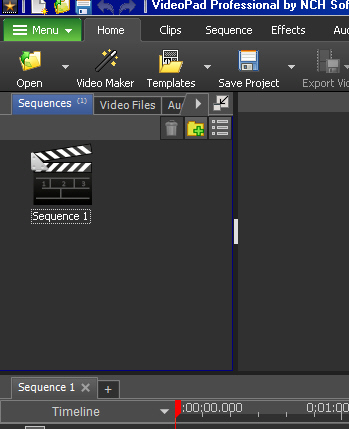
I explained that this was quite normal and was a dummy file...in effect a space to hold the contents of the timeline. At the start the timeline is empty so Sequence 1 is also empty hence the clapperboard. Sequence 1 cannot be deleted.
As soon as you add a clip to the timeline Sequence 1 is updated and the clapperboard changes to a frame from this clip. Sequence 1 now becomes a copy of the timeline. You can rename it if you want.
How do (or can) we use this? As I said Sequence 1 is updated as you add more clips to the timeline or if you edit the timeline. At some point you may decide that the timeline is complete up to this point and you would like to put it to one side. This is done by clicking the + at the left end of the timeline that follows the words Sequence 1 x.
This fixes Sequence 1 (a copy of the whole timeline) in the Sequence bin and creates a new empty place for more work, calling it Sequence 2. This action empties the timeline so Sequence 2 is also empty and has a clapperboard thumbnail.
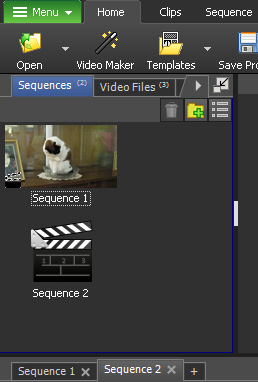
In effect you are back to square 1 but have saved your work (the timeline) as Sequence 1.
As soon as you add new clips to the timeline Sequence 2 is updated and shows a thumbnail of the new clip instead of the clapperboard. You can now carry on editing the timeline ; adding clips or images or text...you can even add Sequence 1 back in a new position if you wish,) and Sequence 2 in the Sequence clip bin will update with your changes.
As you complete a section of timeline you can repeat the save process by clicking the + at the left of the timeline following the words Sequence 2 x Note that the horizontal list is also updated....
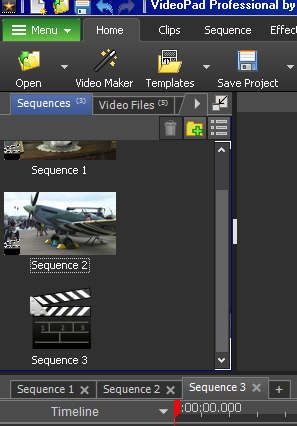
As before the timeline is emptied and Sequence 3 is created in the bin and consequently shows a clapperboard. You can now add new clips to the timeline and continue with a new section. (Note that you can, if you wish add your previous work (Sequence 1 or Sequence 2) to the current timeline as in effect they are complete clips.
In short, use the Sequence bin as a temporary store for completed sections of the timeline but remember clicking the + converts the timeline to a single sequence clip. If you want to save all the component clips etc then you should save your work using Save Project or Save Project As The latter is preferred as you can use specific incremental names without overwriting the old save.
All the clips in the Sequence bin can be deleted apart from Sequence 1. which will remain as a thumbnail until the timeline contents are deleted when it will be replaced by a clapperboard thumbnail.
I haven't seen Sequence 0 unless something was renamed.
I hope this explains a basic way of working with the sequence bin files. The are also other option available for sequences.
If still not clear come back in with more detail
Nat