Hi LuuBueb (and Ivan187)
VP Version 7.03
THAT WORKS PERFECTLY!
So my solution for LuuBeub's problem is correct with this version (and it's easy to do ...only takes a few minutes) You can also use Sequences as this version doesn't crash so there is no need to export anything except at the end....
With this version (VP 7.03) you can get your required PIP in 1920 x 1080 from the 3840 x 1080 double clip ...
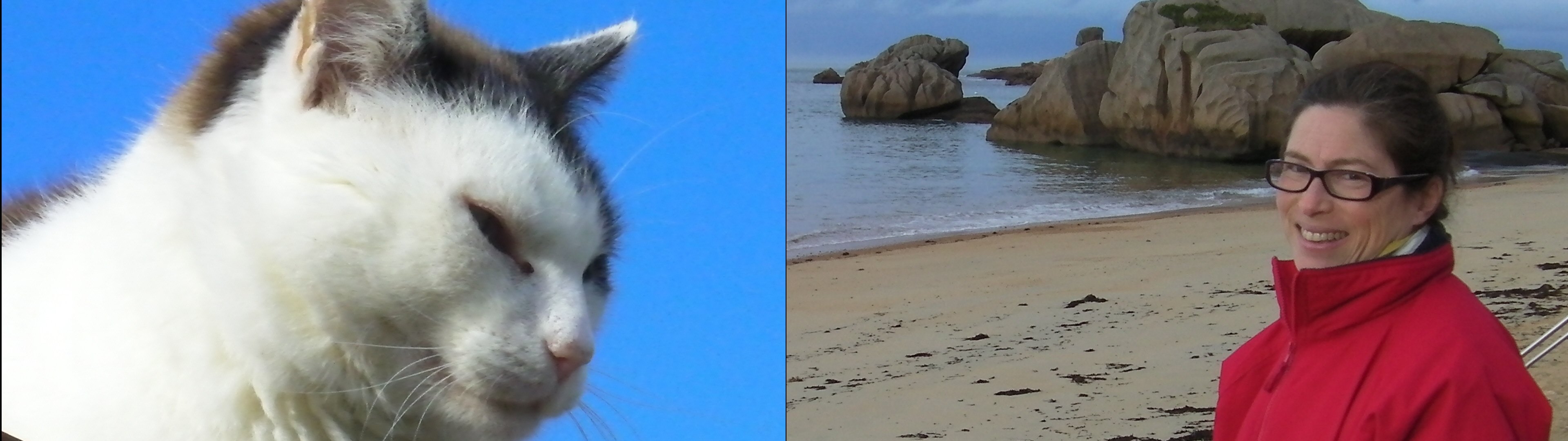
Hi LuusBueb
" Is there no way to do it?"
YES! ... But you will need to use an earlier version of VP 7.03
Check carefully through these steps ........It will work...(as I have just done it. 🙂)
I have made a clip that is 3840 x 1080 using the two images employed in my previous reply above.Everything (the cat) and Webcam (The lady) I think this is equivalent to your starting clip with Everything and Webcam Let me know if I am wrong.....
Place the clip on the timeline........
Click the FX, the Green + and select the Crop effect
Restrain the AR to 16:9 and drag the box right edge to isolate the Everything clip...the cat)
Apply a Zoom effect maintaining the AR to 16:9.
Drag the zoom outline to make the image full frame. (Scale will also work but is more difficult to control.
Create a Sequence of this clip. This will empty the timeline.The sequence will be in the Sequence bin (but there it will look as though nothing has happened but don't worry it has the changes)
Now load the original clip from the clip bin back to the empty timeline and repeat the process but this time isolating and zooming the right hand half of the clip...( The Webcam image..The lady)
You can create a second sequence if required but it isn't strictly necessary.
Now drag Sequence 1 ..the Everything clip (cat) to Video track 2 so it overlaps the Webcam clip. Here is the timeline at this point....... (See.... it works!)

Click the FX for Video Track 2and use the Scale effect to reduce the image and the Position effect to place it in the corner as the PIP image.
Export the resulting clip as a 1920 x 1080 clip. In this version (7.03) there are NO LETTERBOX choices to mess the export up and the result is a 1920 x 1080 clip.
Below is an image of the result in VLC which I think shows what you are after...
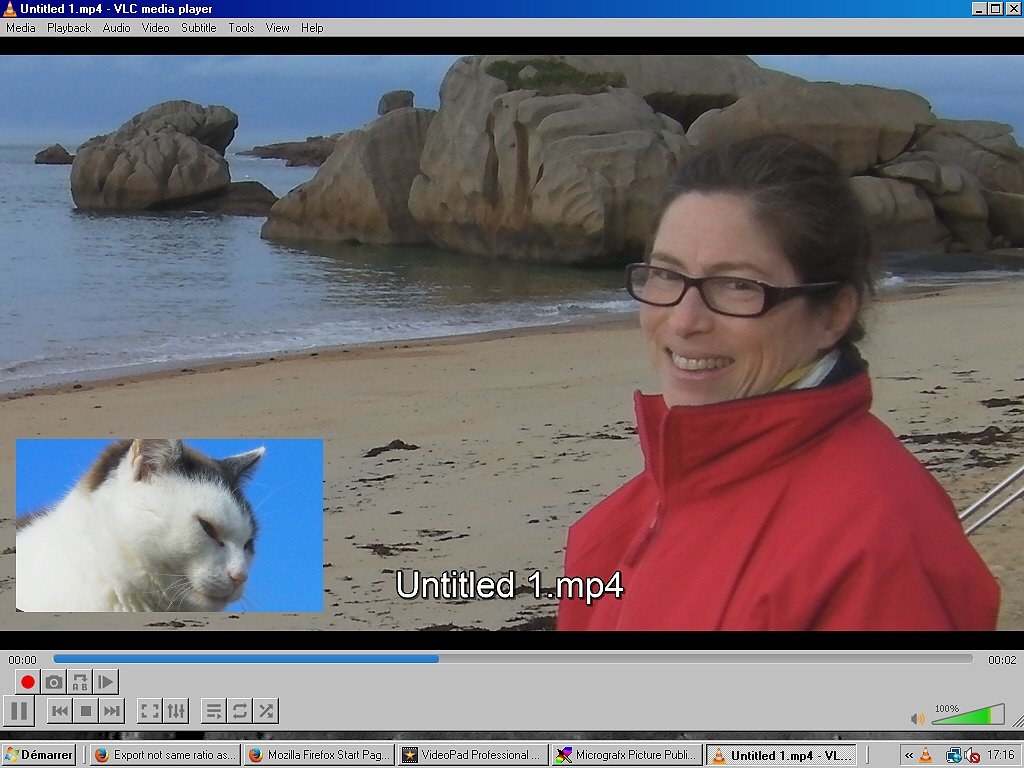
I think NCH ought to revise version 7.10 (or 7.11) so that the timeline and preview images you have are exported as seen. The letterbox option is causing problems IMHO.....The basic aim in all these programs is WYSIWYG.
Regards
Nat