Hi
"......When enlarging the preview to full screen the picture quality is just awful......"
The preview image is what it says it is - a preview. It has a medium resolution. Old versions of VP did allow the user to set the resolution of the preview screen but playback speed often suffered as in many instances users set the values too high and VP couldn't keep pace with the rendering of multi track, multi effect projects. To overcome this developers fixed the preview screens at a reasonable resolution so playback was less impacted and the overall result looked OK even when enlarged. Enlarging the preview to full screen will not compare to the raw clip or an exported clip which will usually be of a higher resolution.(Set by the user at export) Neither can it reasonably be compared with another product which may not use a low resolution preview. (In fact the full screen preview in MM is full resolution) but the small preview image is about the same as the preview image in VP.)
Examples.... Here is the full area of the frame of a clip in Sequence preview ..
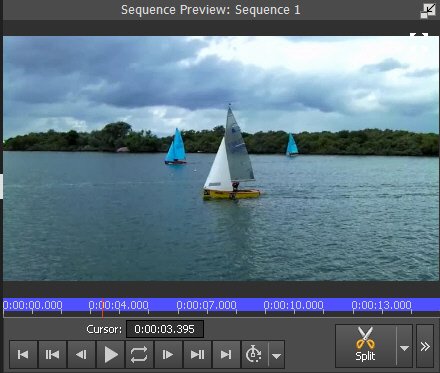
Close up of the above in a full screen** preview frame.... Slightly blurred yes, but quite usable for preview purposes...

Here is the same area of a full resolution exported mpg4 frame..

The difference in quality is obvious.
For comparison below is the same frame (about) from the full screen MM preview...

Yes! It does look clearer than the VP full screen preview image because in MM the full screen preview is full resolution. However whilst in full screen the MM sequence can only be played; it can't be used to monitor effects etc. as it can in VP. It can't be stepped forwards and backwards etc As I mentioned above the standard small preview screens used in both programs are pretty well identical.
At the end of the day why do you want a full resolution full screen preview? In some of the projects we see on the forum it would barely play. 🙂
Nat