HI
One way around this is to have your video on Track 1
Create a blank image in the colour of the text background you want and place it on Video track 2.
Creat your text image in the coulour you want with no background and place it on Video track 3
Now use crop to reduce the size of your blank frame so it just surrounds the text by the desired amount.
Add your Opacity effect to the blank frame.
Your text will now have a coloured background of adjustable opacity.
Line up Track 2 and Track 3 and group them so you can adjust their position on the timeline.
If you want to scroll the text or animate it, use the Position effect and use the same parameters for Track 2 and Track 3
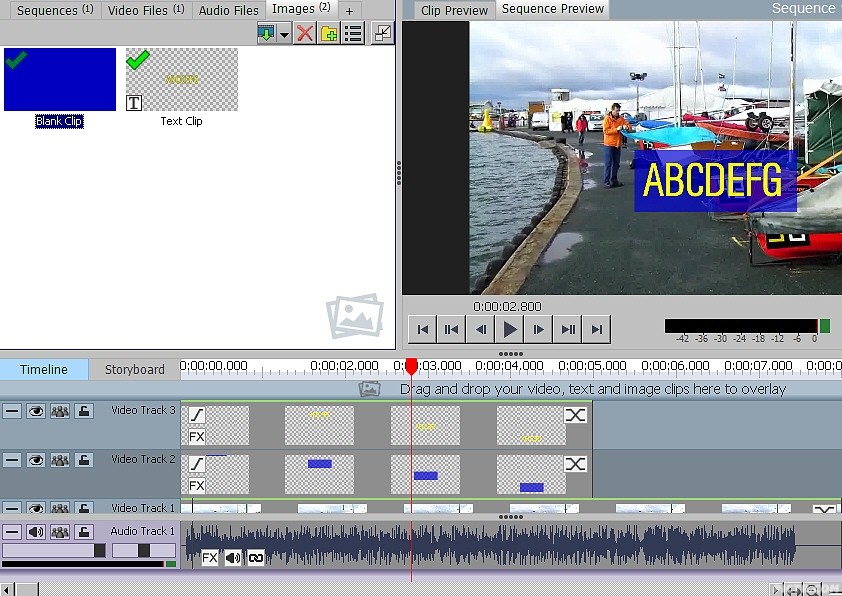
This is scrolling text in yellow with a semi transparent blue background.
A feature like this in the Text editor would save these steps thouigh. :-)
Nat


